Changelog

What's new in 3D PrintForce.

3D PrintForce added maintenance logs for printer repairs and launched a public feature roadmap for user-submitted requests.

This release focused on two things: better visibility into printer maintenance and a more public way for users to influence the future roadmap.

Maintenance log

3D PrintForce added support for tracking maintenance and repair work completed on printers.

The release introduced two related concepts:

  • Repair items — reusable maintenance actions with their own material and labor costs
  • Maintenance logs — repair records made up of one or more repair items completed at a given time

That creates a foundation for measuring maintenance cost at the printer level instead of treating repair work as invisible overhead.
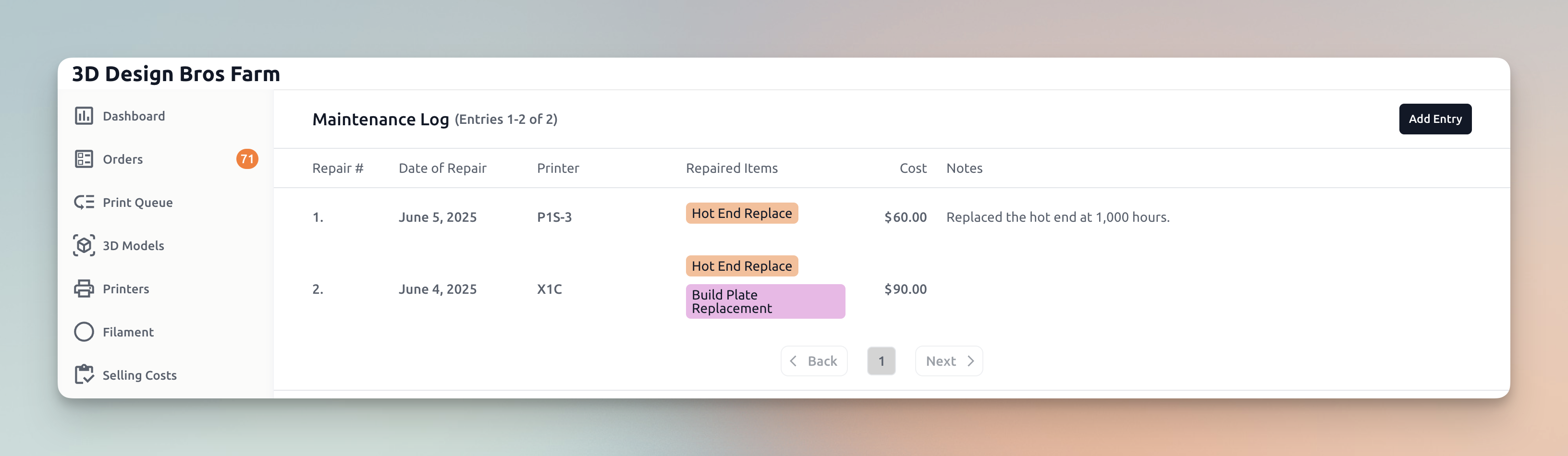
3D PrintForce printer maintenance log and repair tracking

The original release also previewed future roadmap items for this area, including:

  • reporting on which printers require the most maintenance
  • dynamically adjusting hourly maintenance cost based on a seller's actual maintenance history

Public feature roadmap

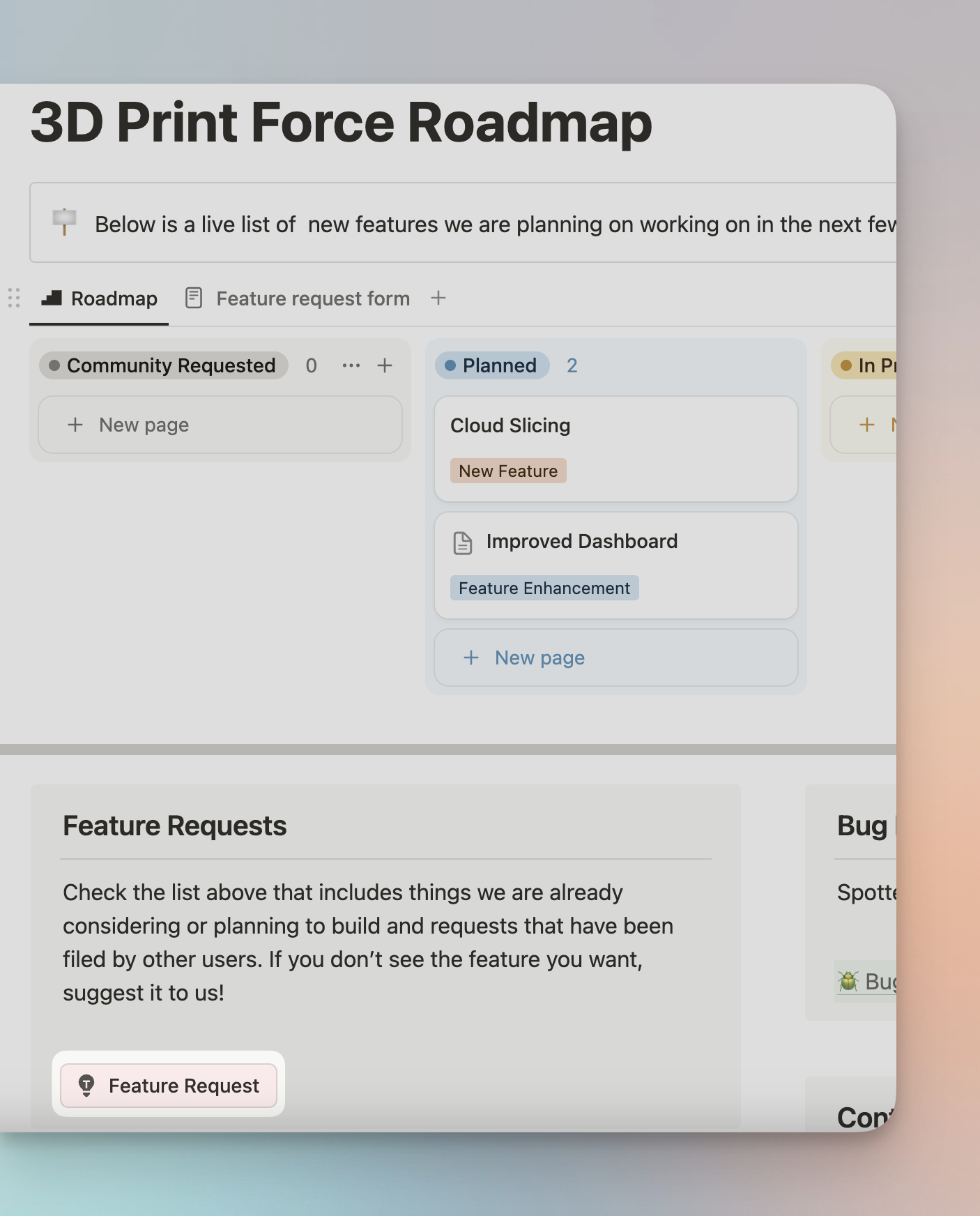
3D PrintForce also launched a public roadmap so users could request features and help shape what gets built next.

That move made the roadmap more visible and turned feature requests into a more community-driven process.
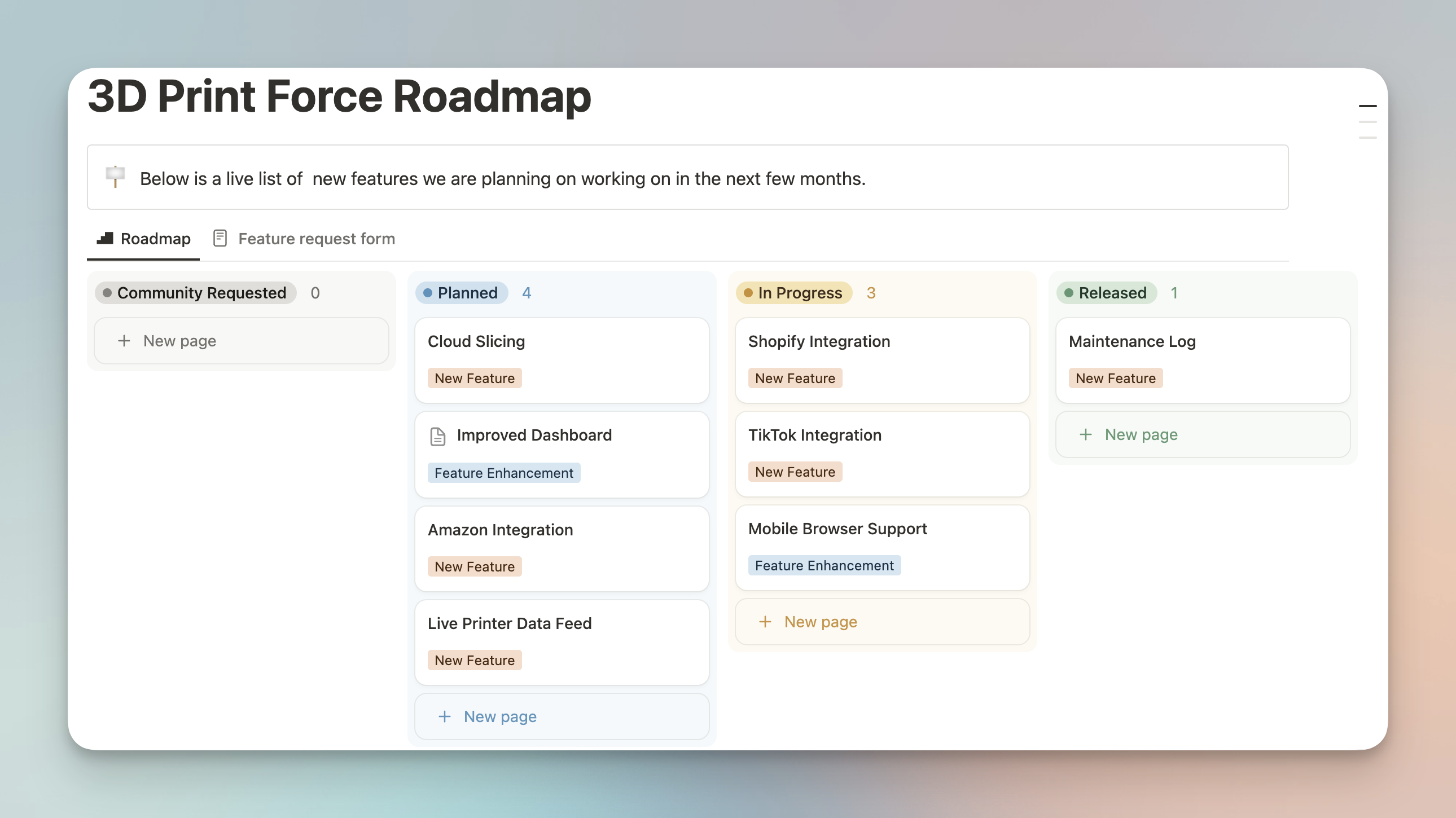
3D PrintForce public feature roadmap

3D PrintForce feature request submission flow on the public roadmap

Discord connection reminder

This changelog entry also repeated the Discord connection flow so users could quickly get community support and access the 3DPF Discord server.

3D PrintForce Discord account connection settings

3D PrintForce introduced model variations, Etsy listing creation, and Discord account connection for community access.

This release expanded how sellers can structure products inside 3D PrintForce and pushed the platform closer to being the operational hub for listing and selling 3D printed products.

Model variations

3D PrintForce added model variations that stay linked to a parent model.

The original release highlighted several use cases:

  • selling multiple sizes or versions of the same product
  • creating bundles like packs of 5 or 10
  • comparing single-item printing against full-build-plate production runs

That matters because different versions of the same model can have very different profitability depending on time, material use, and purge waste.

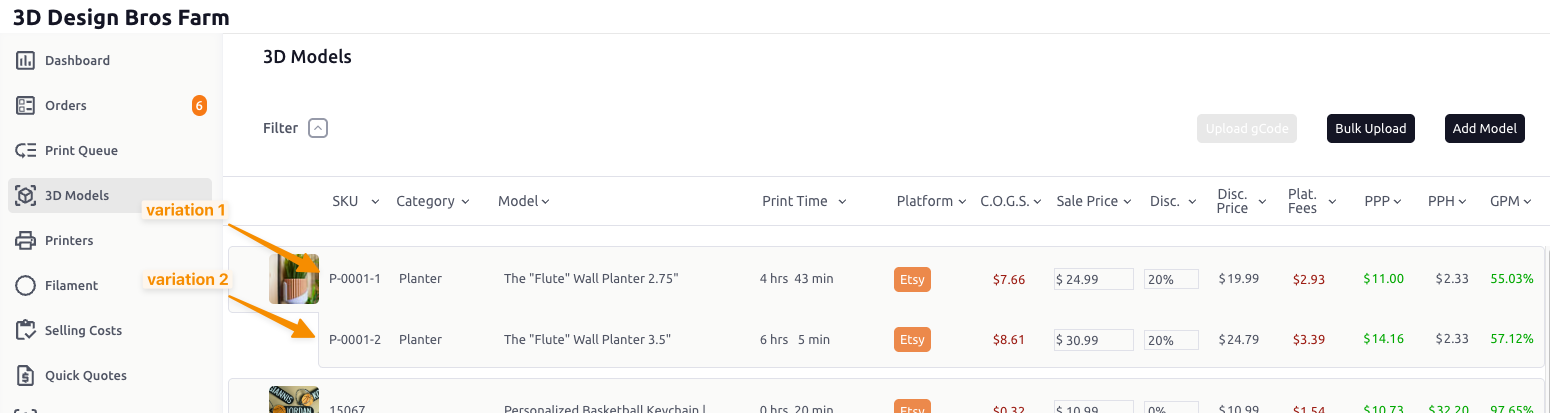
3D PrintForce model variations linked to parent models

Create Etsy listings from 3D PrintForce

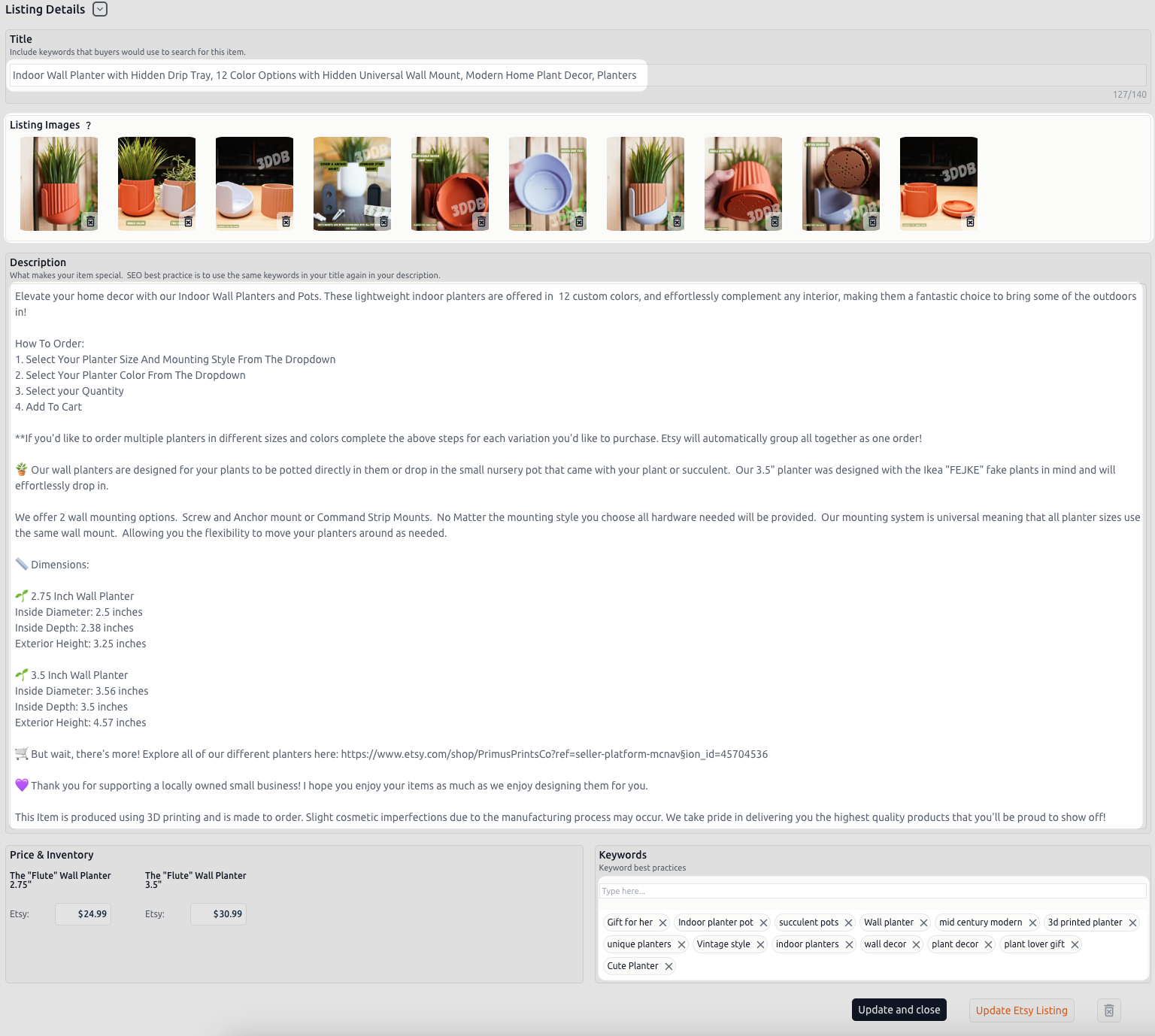
After building and pricing models in 3D PrintForce, users can now push those models directly to Etsy as listings.

That was framed as a major step toward making 3D PrintForce the hub for managing the business side of selling 3D printed products, not just the pricing side.

The original update also noted an action item for users who connected Etsy on or before May 9, 2025: disconnect and reconnect Etsy to grant the updated permissions needed for listing creation.

3D PrintForce Etsy listing creation workflow

Discord connection

This release also reminded users that they could connect Discord from the account settings area to access the 3DPF community server with role assignment based on subscription level.

3D PrintForce Discord account connection settings

3D PrintForce added currency selection, manual order input, and improved visibility for manually created orders.

This update introduced two practical improvements for sellers managing pricing across currencies and handling orders that do not come in through a connected platform.

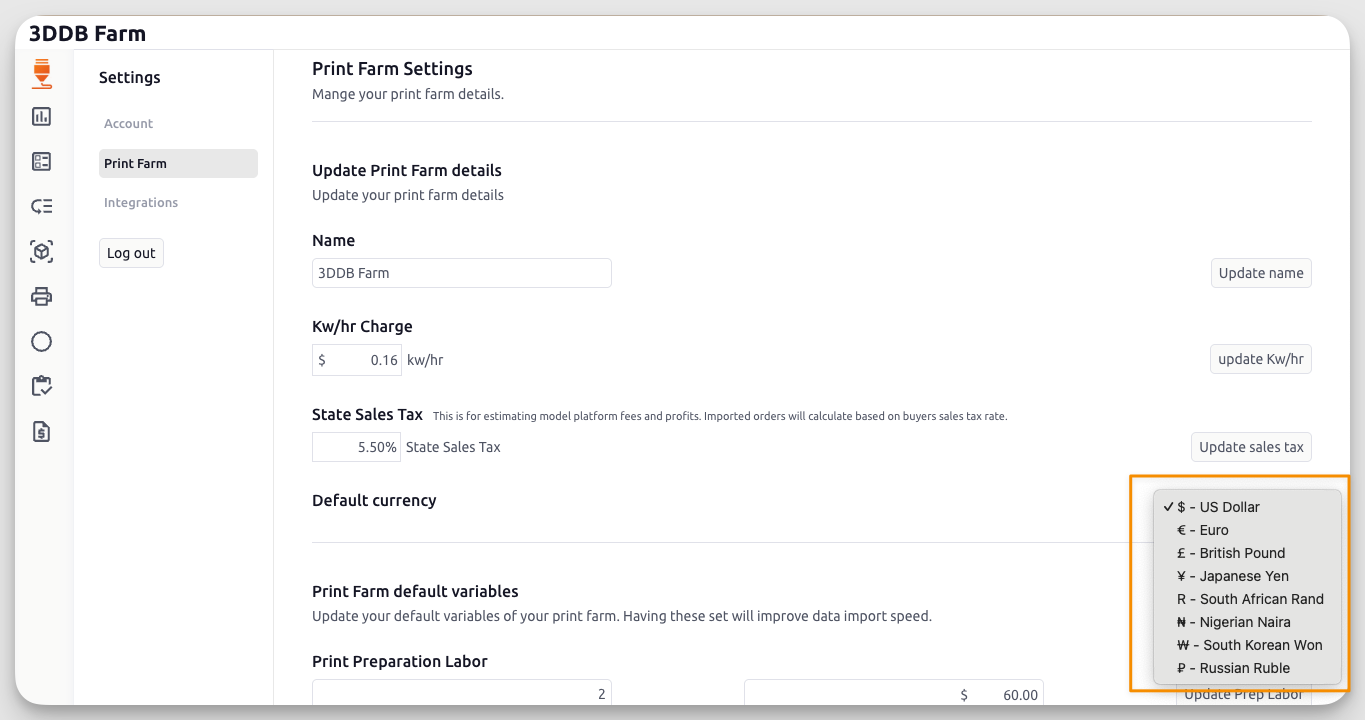
Currency selector

Users can now choose their preferred default currency in app settings.

This was a long-requested quality-of-life improvement, especially for sellers operating outside USD or working across multiple marketplaces.

The original release directed users to configure it in:

Settings → Print Farm → Default Currency

3D PrintForce currency selector in print farm settings

Manual order input

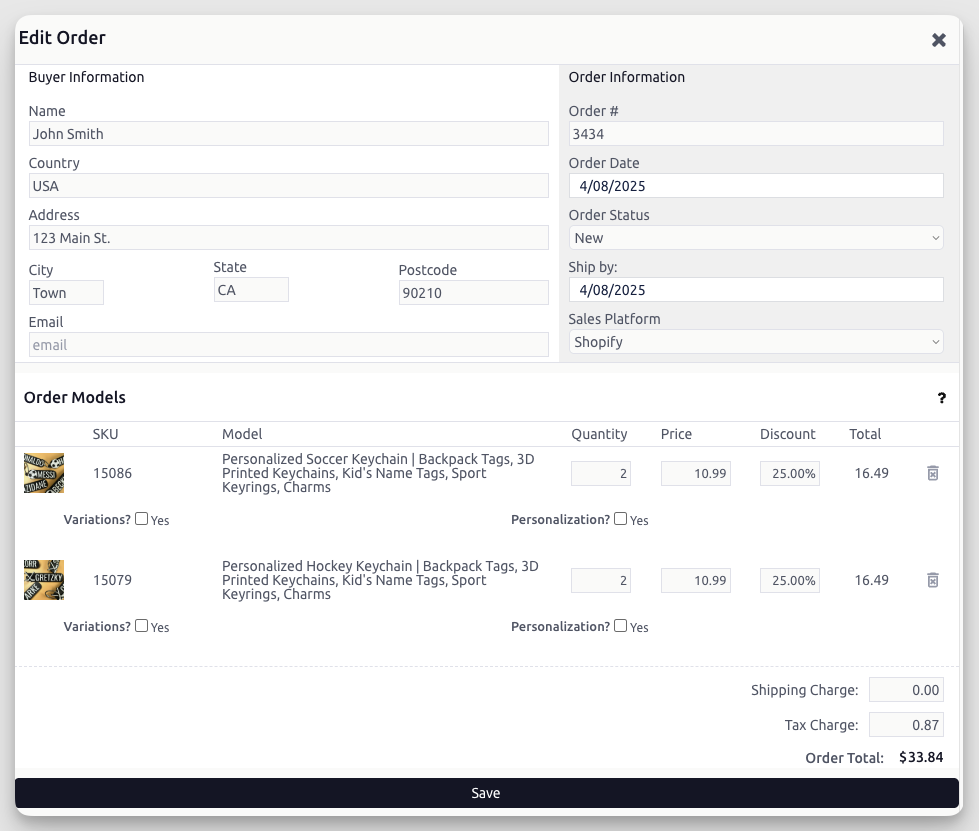
3D PrintForce added support for manually creating orders.

That lets sellers log:

  • orders from unsupported platforms
  • in-person sales
  • custom or off-platform transactions

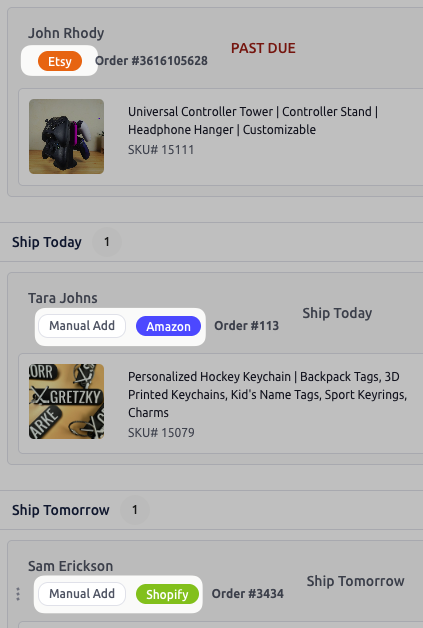
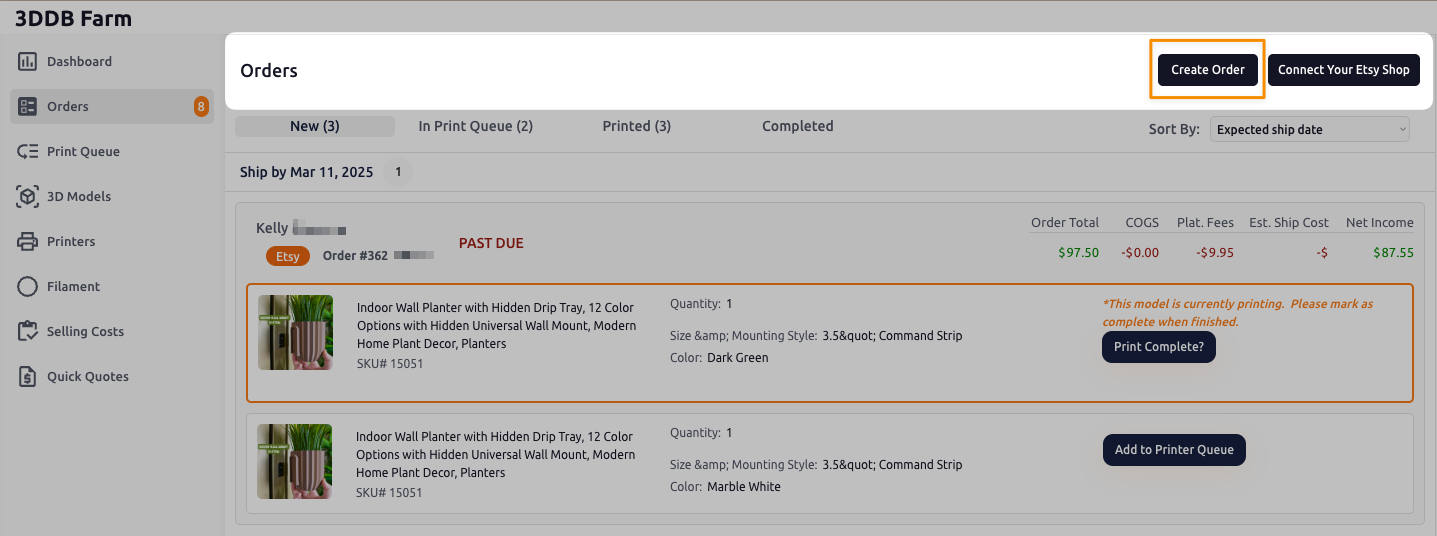
The release also highlighted new order tags to make manually created orders easier to identify in the order workflow.

3D PrintForce manual order input form

3D PrintForce order tags for manually created orders

Users could find the new Create Orders button in the header area of the Orders page.

3D PrintForce create order button in the orders page header

Discord connection reminder

This changelog entry also repeated the Discord connection flow so users could join the 3DPF community server and receive access based on subscription level.

3D PrintForce Discord account connection settings

3D PrintForce added deeper model cost visibility, print farm defaults, target profit controls, and better sales-tax estimation.

This release expanded pricing visibility and made it easier to reduce repetitive setup work across a print farm.

More model expense detail

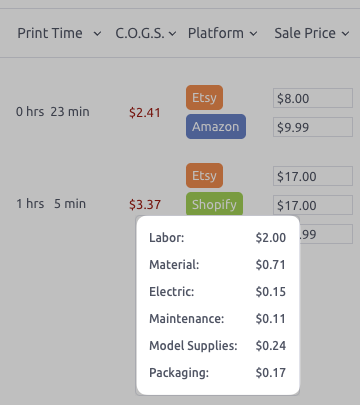
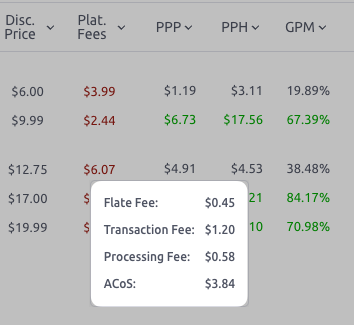
The model pricing view now exposes a deeper breakdown behind C.O.G.S. and Platform Fees so users can see what is driving their cost structure more clearly.

That makes it easier to understand model profitability without treating the final number like a black box.

3D PrintForce detailed COGS breakdown on the model pricing screen

3D PrintForce platform fee breakdown on the model pricing screen

Print farm defaults

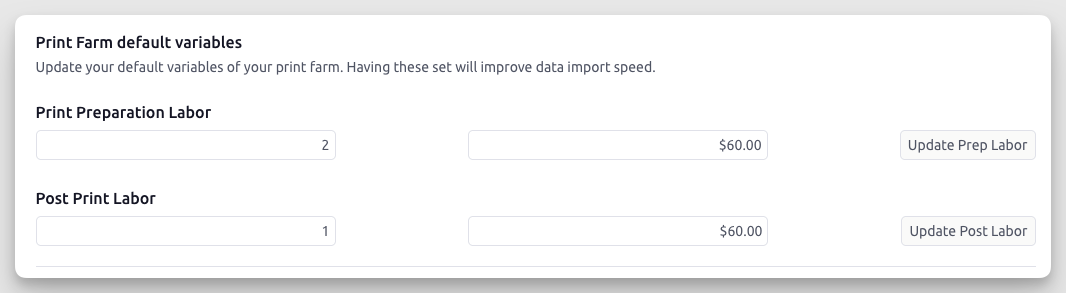
3D PrintForce added Print Farm Defaults so new models can inherit preset values for:

  • print-preparation labor time
  • post-print labor time
  • hourly labor rates

That means sellers no longer need to re-enter the same setup values for every new model.

To configure these defaults in the app, the original release pointed users to:

Settings → Print Farm → Print Farm Default Variables

3D PrintForce print farm default variables for labor and workflow settings

Target profit settings

Users can now define target profit values for:

  • PPP
  • PPH
  • Gross Profit Margin

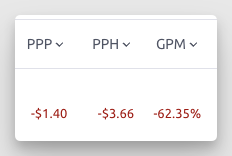
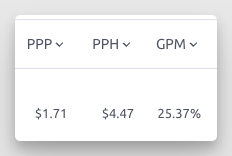
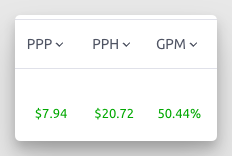
Those targets feed back into the model view using color indicators to make it easier to spot underperforming models at a glance.

The original color logic shipped as:

  • Red for values below $0
  • Gray for values above $0 but below target
  • Green for values at or above target

3D PrintForce target profit settings for PPP, PPH, and gross margin

3D PrintForce profit warning state for negative model profit values

3D PrintForce neutral profit state for values below target thresholds

3D PrintForce success state for profit values meeting target thresholds

Discord connection reminder

This release also continued pushing the Discord connection flow so users could join the 3DPF community server and receive access based on subscription level.

3D PrintForce Discord account connection settings

State sales tax for better fee estimation

A new Default Sales Tax setting was added to improve platform-fee estimates.

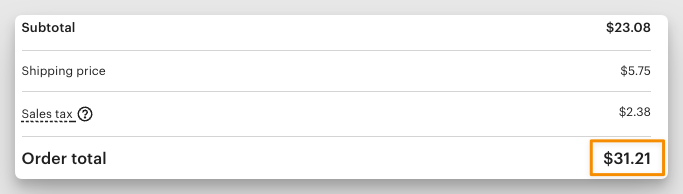
This matters because many marketplaces calculate fees using the gross order total, including sales tax, not just the item subtotal.

The release specifically called out Etsy’s processing-fee behavior as an example.

3D PrintForce default state sales tax setting for platform fee estimation

Etsy order example showing fees calculated on the gross order total including tax

For Growth and Business plan users, actual order-level platform fees continued to reflect the buyer's real sales tax rate when available.

Coming next

At the time of this update, the next planned improvement was a currency selector.

3D PrintForce shipped a major UI refresh, a cleaner print queue, reusable other-supply quantities, and more ways to create models.

This update focused on making 3D PrintForce faster to use day to day, especially for sellers managing pricing inputs, model setup, and print-queue changes.

UI refresh and layout improvements

We redesigned much of the interface to make important information easier to reach with fewer clicks.

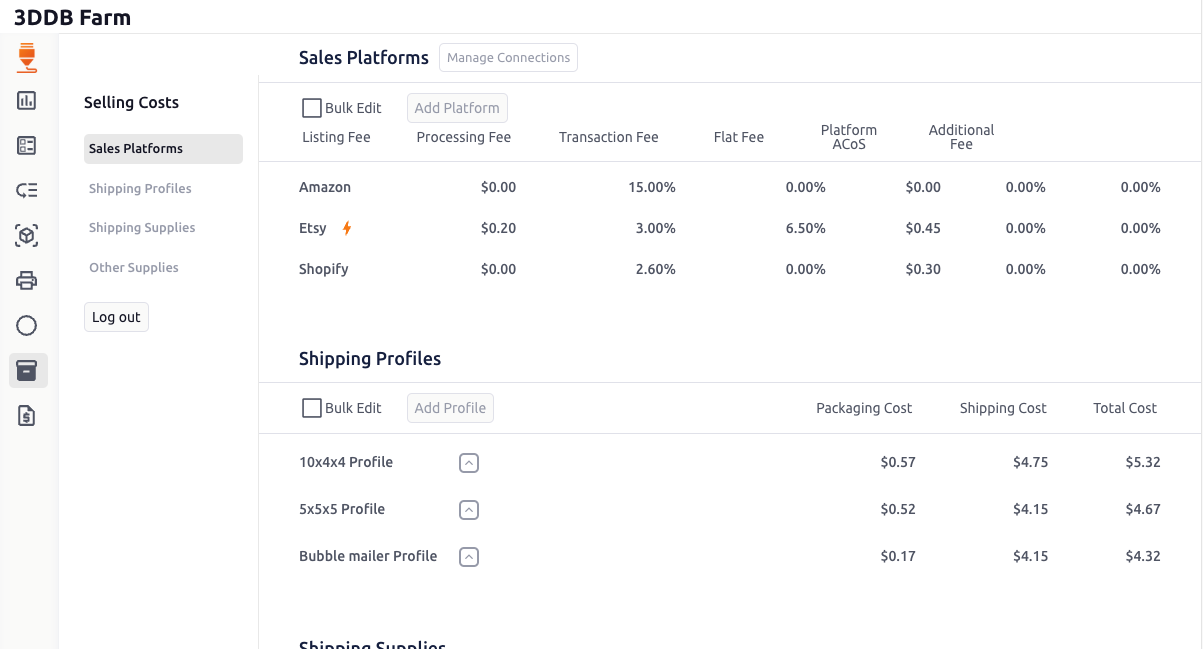
One major navigation change: Sales Platforms, Shipping Profiles, and other supply costs were consolidated under the new Selling Costs area instead of being split across separate pages.

That change is part of a broader interface cleanup across the app aimed at reducing friction and making the pricing workflow easier to manage.

3D PrintForce interface updates and Selling Costs navigation

New print queue system

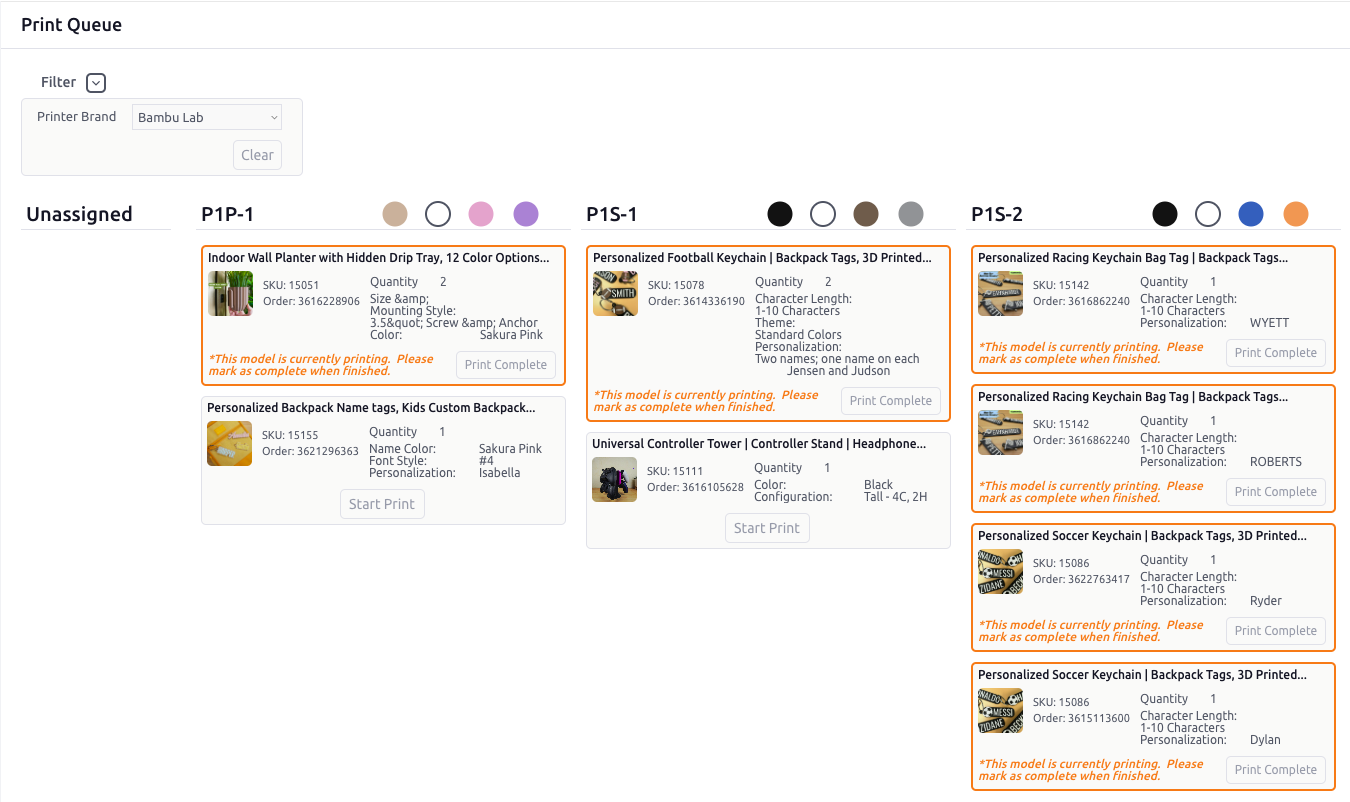
For Etsy-connected users, the print queue got a cleaner workflow with easier on-the-fly reordering.

Printer availability changes constantly. This update makes it easier to adjust job flow as conditions change instead of forcing you to work around a rigid queue.

3D PrintForce print queue workflow for Etsy-connected orders

Other supplies now support quantities

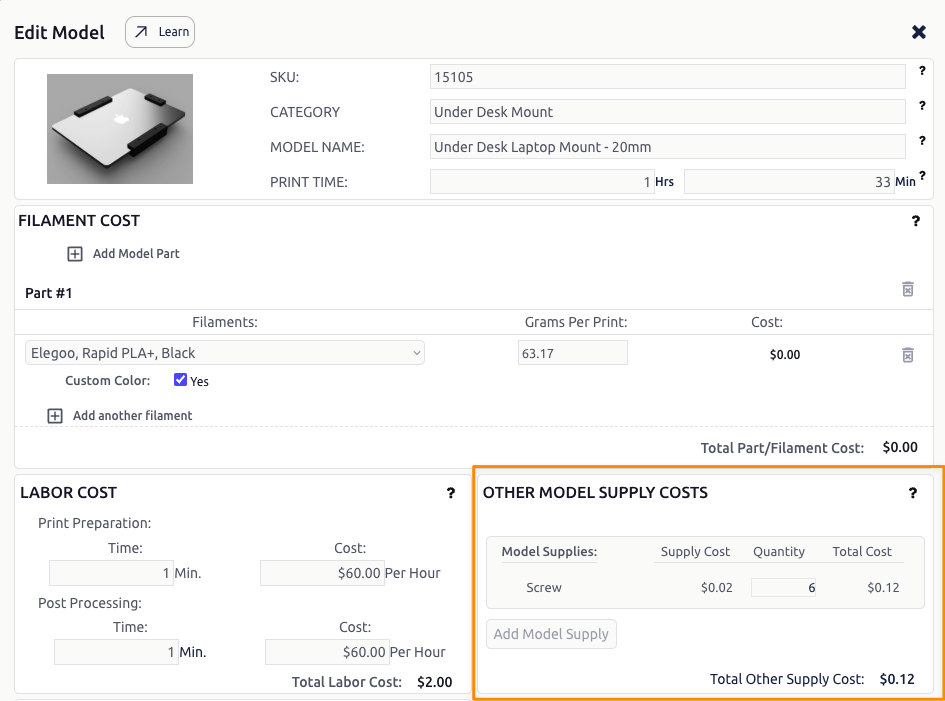
You can now create an Other Supply once and reuse it with quantities across models.

That makes it easier to price repeatable components correctly — for example, screws, magnets, packaging inserts, or mounting hardware — without recreating the same supply record every time.

3D PrintForce other supply quantity support for reusable non-filament costs

More ways to create models

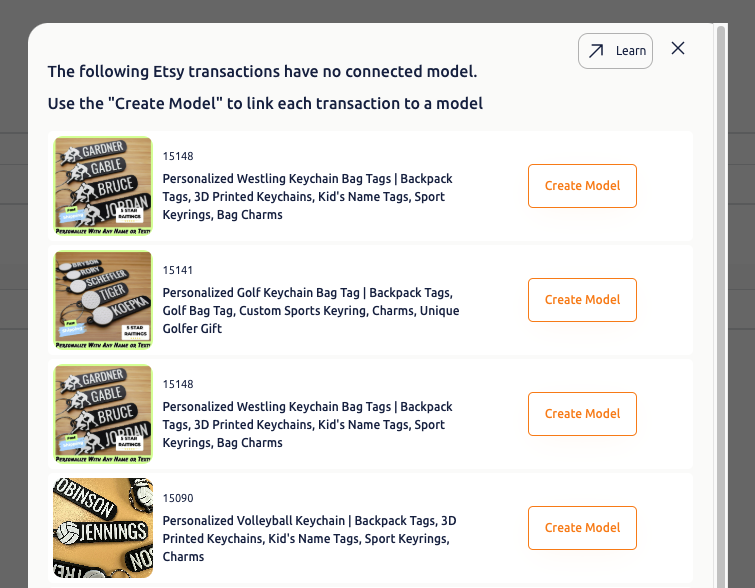
Models can now be created from imported Etsy transactions.

That joins the existing model-creation paths:

  • Manual input
  • Duplicate from an existing model
  • Bulk CSV upload
  • G-code upload
  • Copy from transactions (requires Etsy connection)

This update was aimed squarely at reducing the setup time required to get model data into 3D PrintForce.

3D PrintForce model creation options including Etsy transaction import

Bug fixes deployed

This release also included a batch of fixes based on user feedback:

  • Fixed discount calculation when updating the Discount % field
  • Fixed GPM (Gross Profit Margin) calculation
  • Fixed account detail updates requiring a password unexpectedly
  • Fixed password reset workflow
  • Clarified the Other Supply Name input label
  • Fixed placeholder text for filament color in the add-filament popup
  • Fixed an Etsy connection issue some users experienced
  • Fixed filament bulk-upload cost per gram calculation
  • Fixed an issue some users experienced when adding a printer from the list
  • Added support for fractional values in Filament Starting Kgs

Coming soon

The next planned improvement at the time of this update was a currency selector, allowing users to choose their preferred currency symbol in the app.