The biggest update since spring: Etsy listings, quick pricing and stock that refills itself
3D PrintForce v2.2 adds an Etsy page that matches every listing to a model once, one-click pricing from the Models list, stock automations that keep products on the shelf, and a list-style Print Queue for SimplyPrint shops.
This is the biggest update since spring. Most of it came from walking the app as a brand-new seller: sign up, connect Etsy, price a model, print, ship. Here is what changed.
Match each Etsy listing once
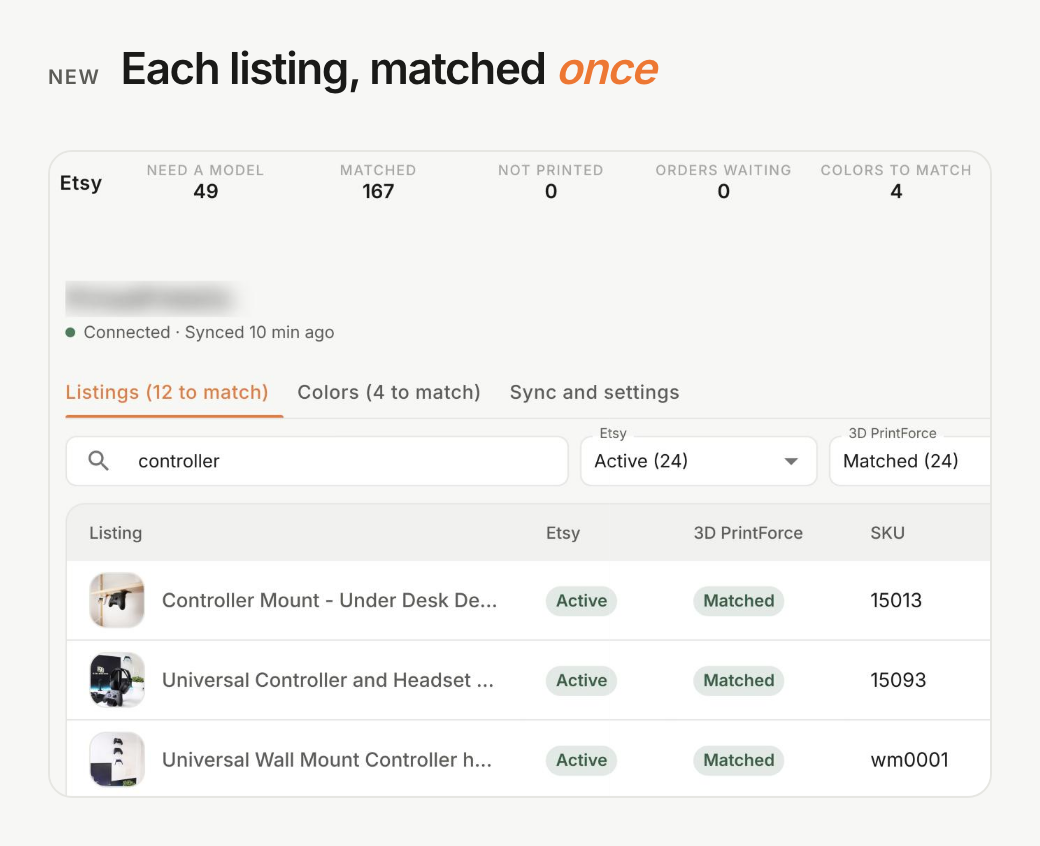
Connect Etsy and you get an Etsy page that lists every listing in your shop, not only the ones that sold. Match each listing to a model, or mark it Not printed. Match its colors once. From then on, every new order knows what to print.
Cancellations and shipments on Etsy now reach 3D PrintForce within seconds. Sync now pulls new orders whenever you want. A first connection brings in your last 30 days of orders, and the ones that already shipped stay as history.
Price models faster
On a paid plan, drop a sliced file on the calculator and the plates, print time and filament fill in. Save keeps the file with the model, and its slicer picture becomes the model's picture.
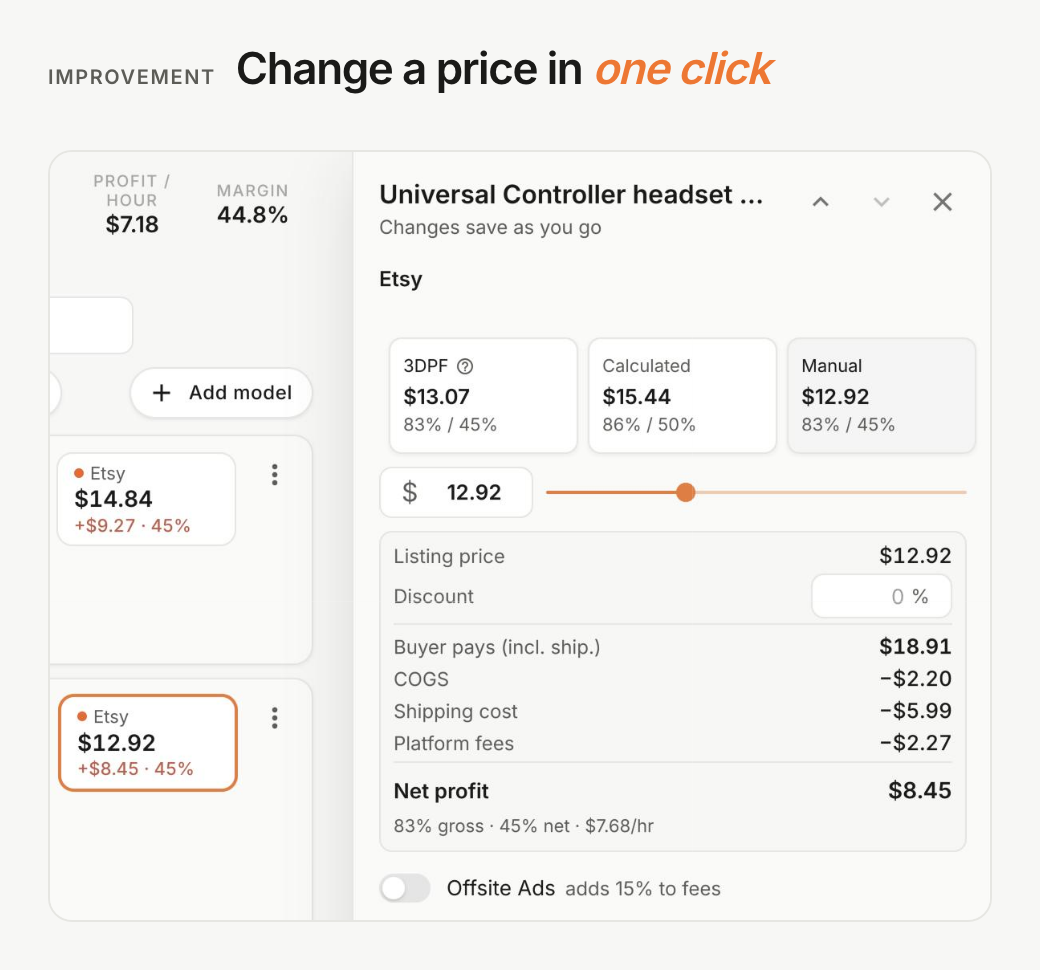
The Models list shows a price chip for each marketplace. Click one and a side panel shows the 3DPF, calculated and manual prices with the full profit breakdown, so you can change the price without opening the model. Click a name to rename it.
Stock that refills itself
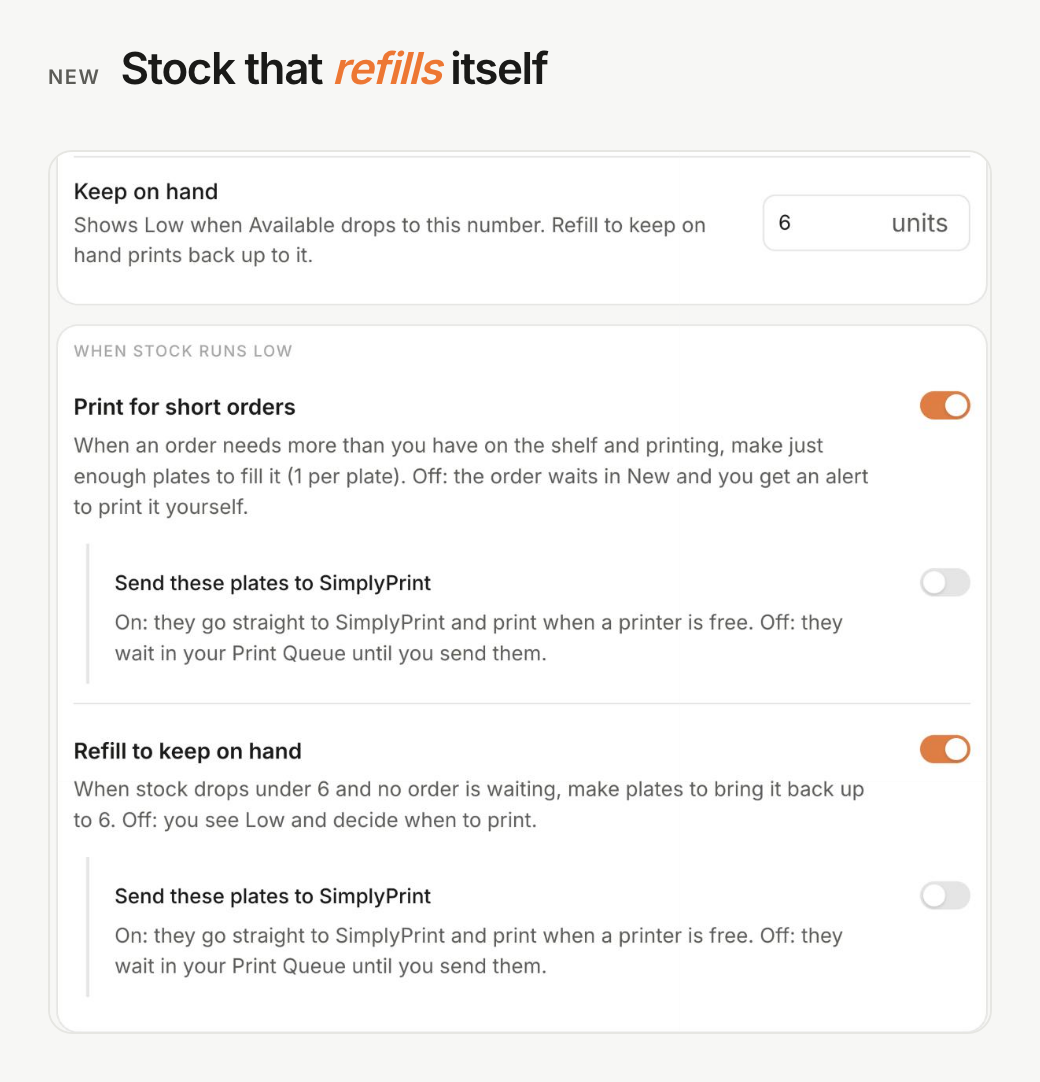
Set Keep on hand on a stocked model, and two automations can print for you:
- Print for short orders. When an order needs more than you have, it prints just enough plates.
- Refill to keep on hand. When the shelf runs low and no order is waiting, it prints back up.
Both start off and need SimplyPrint connected. For each one you choose whether its plates go straight to SimplyPrint or wait for you. Settings > Automation holds the defaults a new stocked model starts with.
A Print Queue for how you print
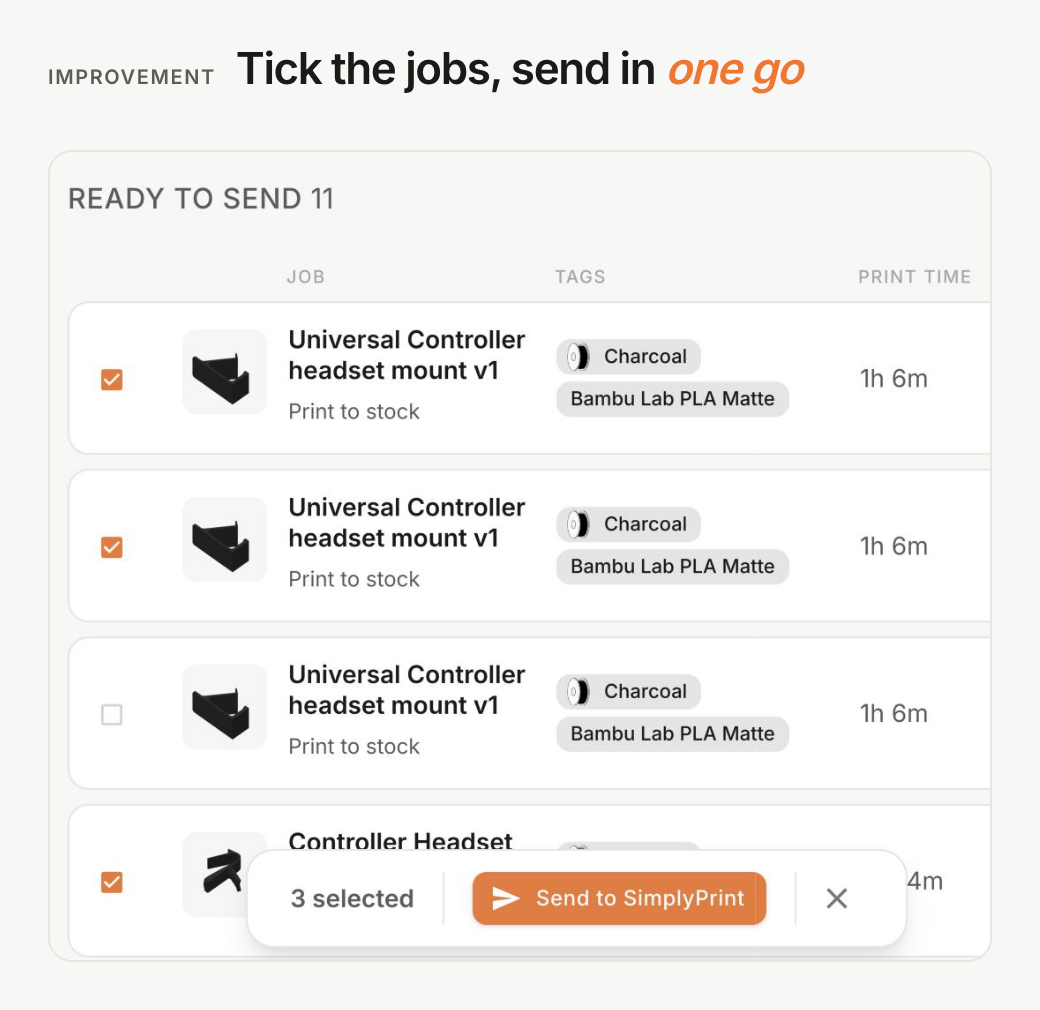
With SimplyPrint: the queue is now a list. Group jobs by ship date, color, model or order, tick the ones you want and send them in one go. Print to stock plates carry their color and filament type, so SimplyPrint can pick a printer that has it loaded. When you connect, a review page lines up your SimplyPrint printers and colors with yours.
By hand: the Manual queue keeps itself current, so a new Etsy order shows up within a minute. Print Complete finishes a job at once, and Failed / Cancel asks what happened so your filament count stays right.
Everything else
- A new Reports page: top products, how fast orders ship, filament use, and customers and orders, for the dates you pick. The Dashboard's net profit breakdown now adds up.
- Settings, Billing and every dialog have a cleaner look. Settings is grouped into Organization, Operations and Connections.
- A shipping profile can be No shipping (in person).
- Deleting a filament shows which models use it and offers a replacement.
- Add another like this copies a printer and its costs.
- Fixed: saving a model no longer resets its stock, opening a model no longer drops its Etsy price, and manual orders keep the color you picked.